Taipo

Taipo

AI-powered text correction for macOS

Taipo — like a typo, but AI fixes it.

Swift & SwiftUI — no Electron, no bloat

Fix your text.
Make it better.
Instantly.

Select text in any app, press a shortcut, and watch your text get corrected, shortened, or rewritten by AI. Works everywhere on your Mac.

Free — no limits, no subscription.

I love building software and helping people. If you enjoy Taipo, consider buying me a cup of tea.
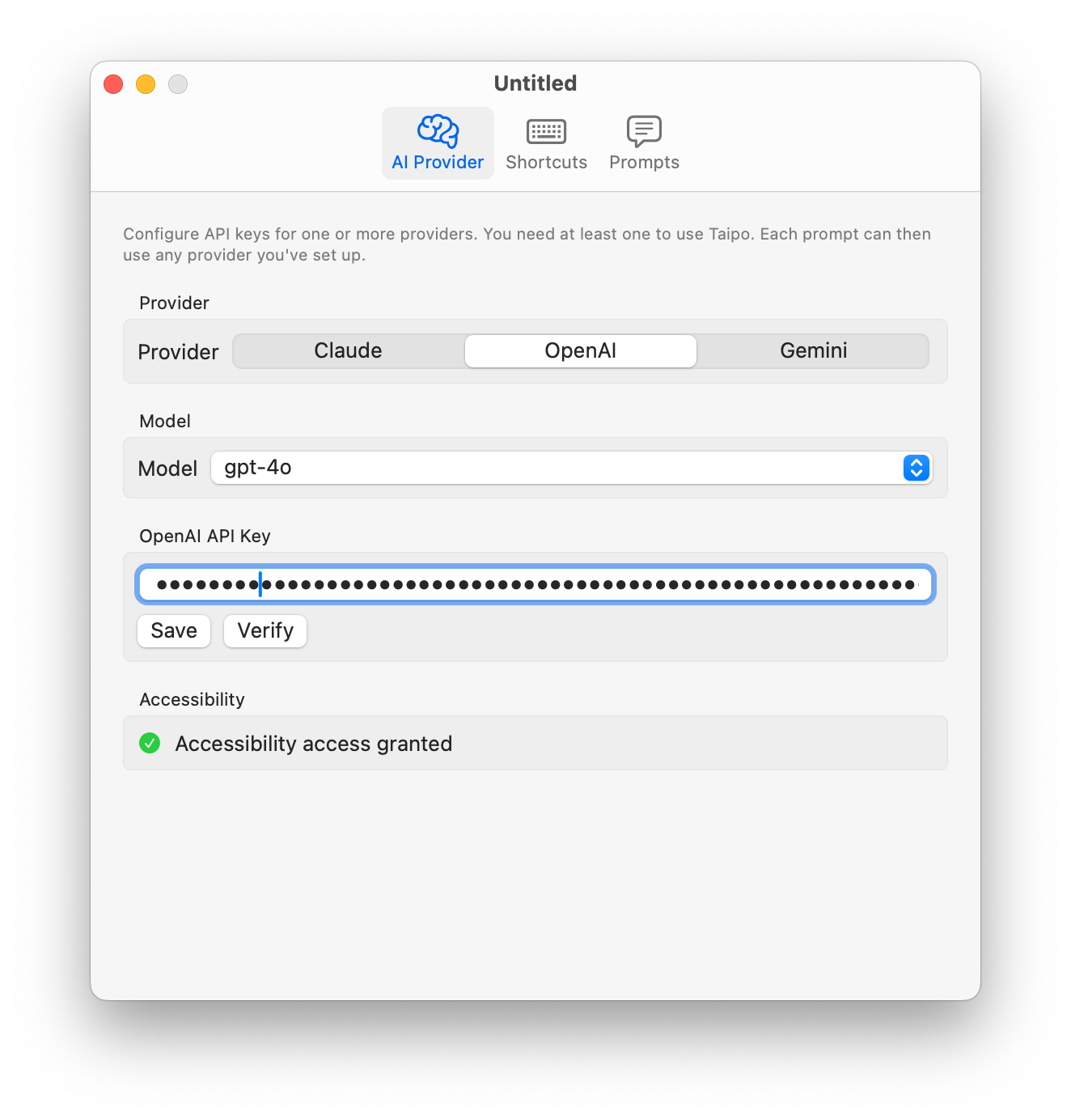
Taipo AI Provider Settings
Configurable Shortcuts

Your shortcuts.
Your rules.

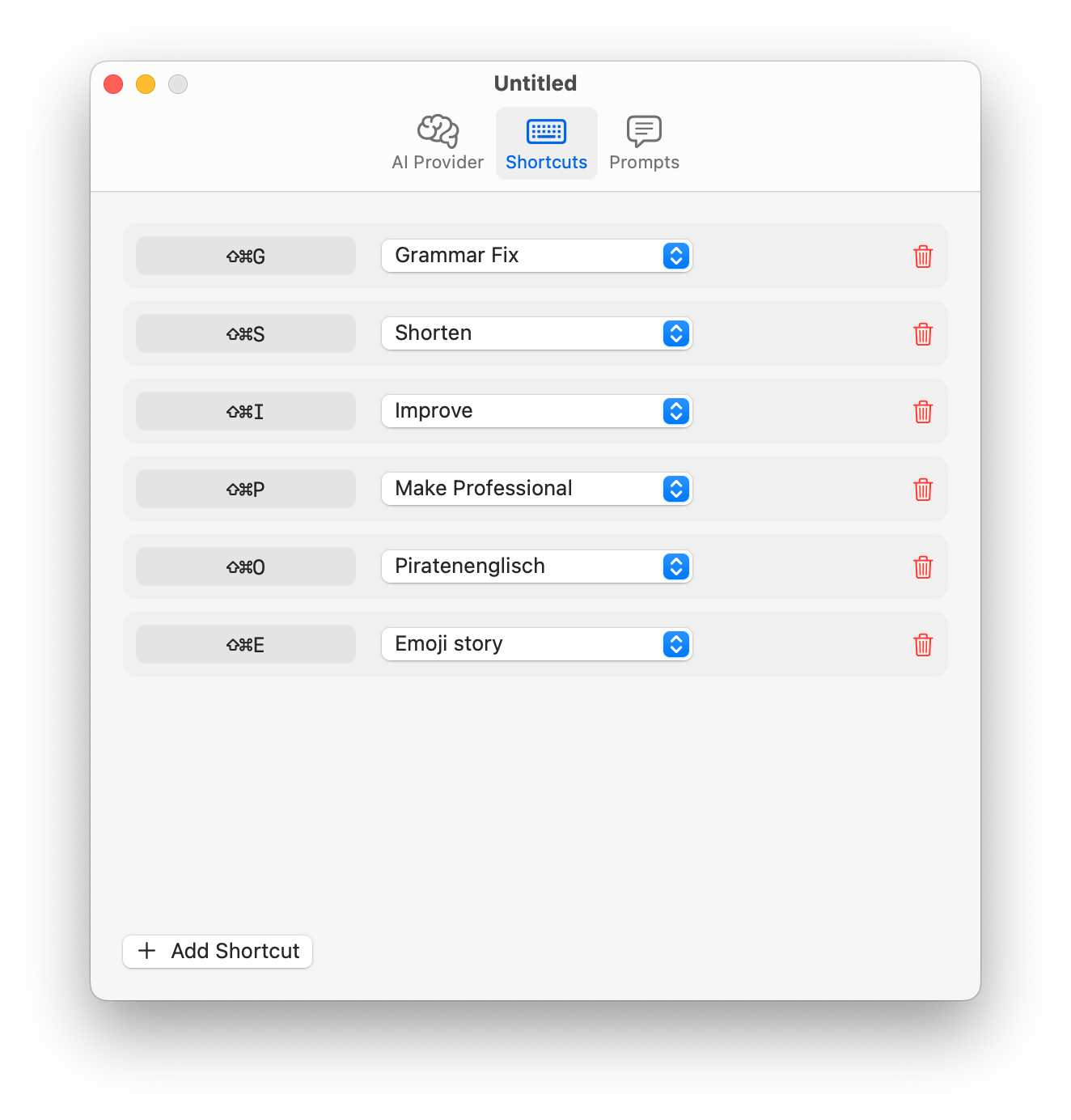
Map any keyboard combination to any prompt. Grammar fix on  ⌘⇧G, shorten on  ⌘⇧S, pirate English on  ⌘⇧O — whatever you need.

⌨️
Global Hotkeys

Works in any app. No need to switch windows.

Instant Replace

Selected text is replaced in-place. No copy-paste needed.

Taipo Shortcuts Settings
Custom Prompts

Create any prompt
you can imagine.

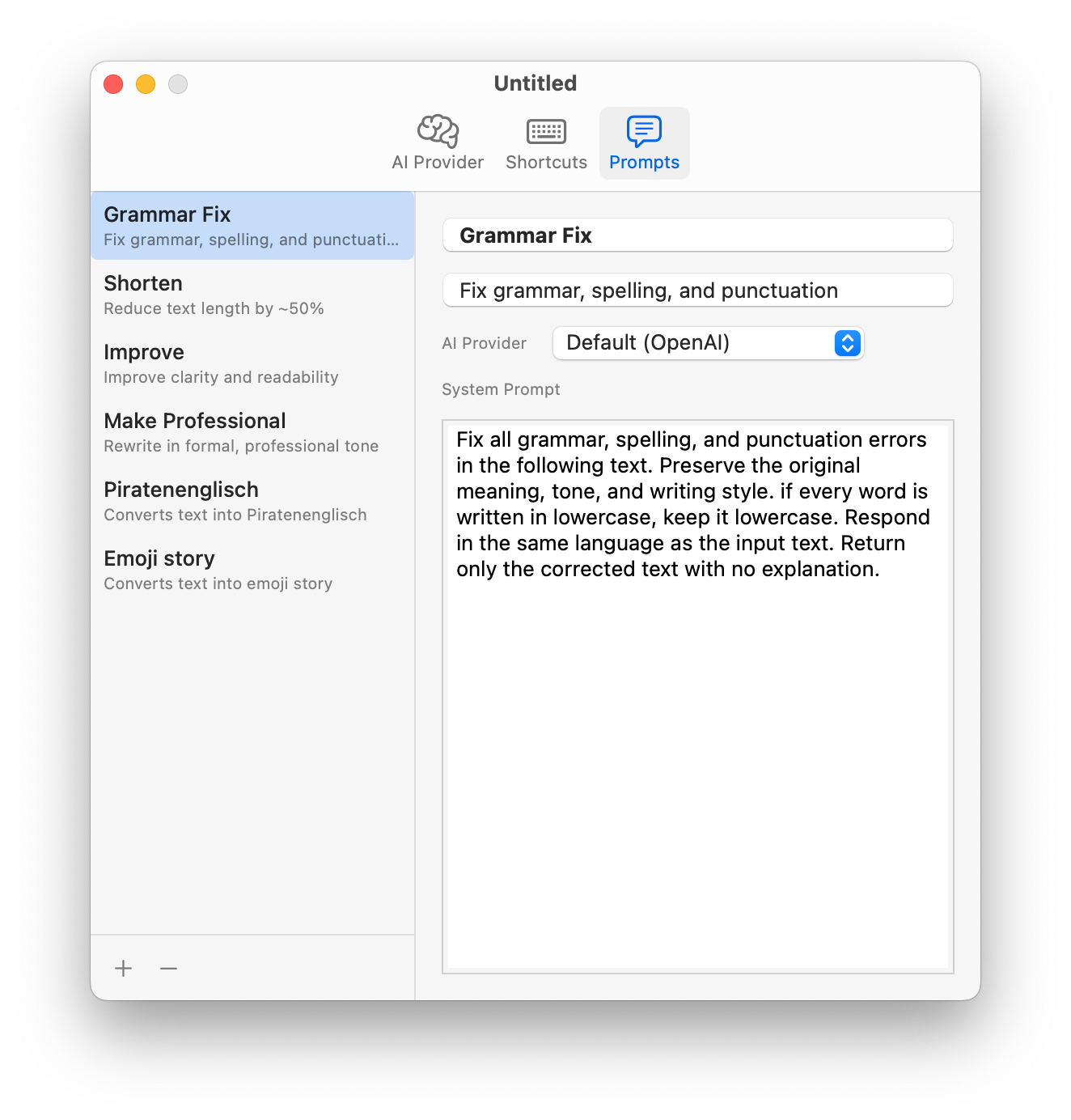
Grammar fix, shorten, make professional, translate, rewrite as a pirate — define unlimited prompts with full control over the AI system instruction.

✍️
Full Control

Write your own system prompt. The AI does exactly what you tell it.

🤖
Per-Prompt Provider

Use Claude for grammar, GPT for creative writing, Gemini for translation.

Taipo Prompts Editor
See It In Action

Before & after.

Real examples of what Taipo does to your text.

Grammar Fix ⌘⇧G
BEFORE

i dont think there approach is going to work, we should of went with the other option tbh

AFTER

I don't think their approach is going to work. We should have gone with the other option, to be honest.

Make Professional ⌘⇧P
BEFORE

hey, just wanted to check in on that thing we talked about. lmk when you get a chance

AFTER

Hi, I wanted to follow up on our recent discussion. Please let me know at your earliest convenience.

Shorten ⌘⇧S
BEFORE

I would like to take this opportunity to inform you that the meeting that was originally scheduled for next Tuesday has been moved to Thursday due to a scheduling conflict.

AFTER

Tuesday's meeting has been moved to Thursday due to a scheduling conflict.

Everything you need

No fluff. Just features.

🌐

Works Everywhere

Safari, Mail, Slack, VS Code, Notes — any app where you can select text.

🤖

Multiple AI Providers

Claude, OpenAI, or Gemini. Pick your model, use your own API key.

⚙️

Menu Bar Native

Lives quietly in your menu bar. No dock icon, no clutter. Always ready.